
The bridge should tell you before your client tells you
There is a particular kind of bad morning in a brokerage. A client emails to ask why their fills looked strange overnight, and that email is the first anybody in the firm hears about it.
Everything after that point is archaeology. You are reconstructing what happened from trade records rather than watching it happen.
What the bridge watches
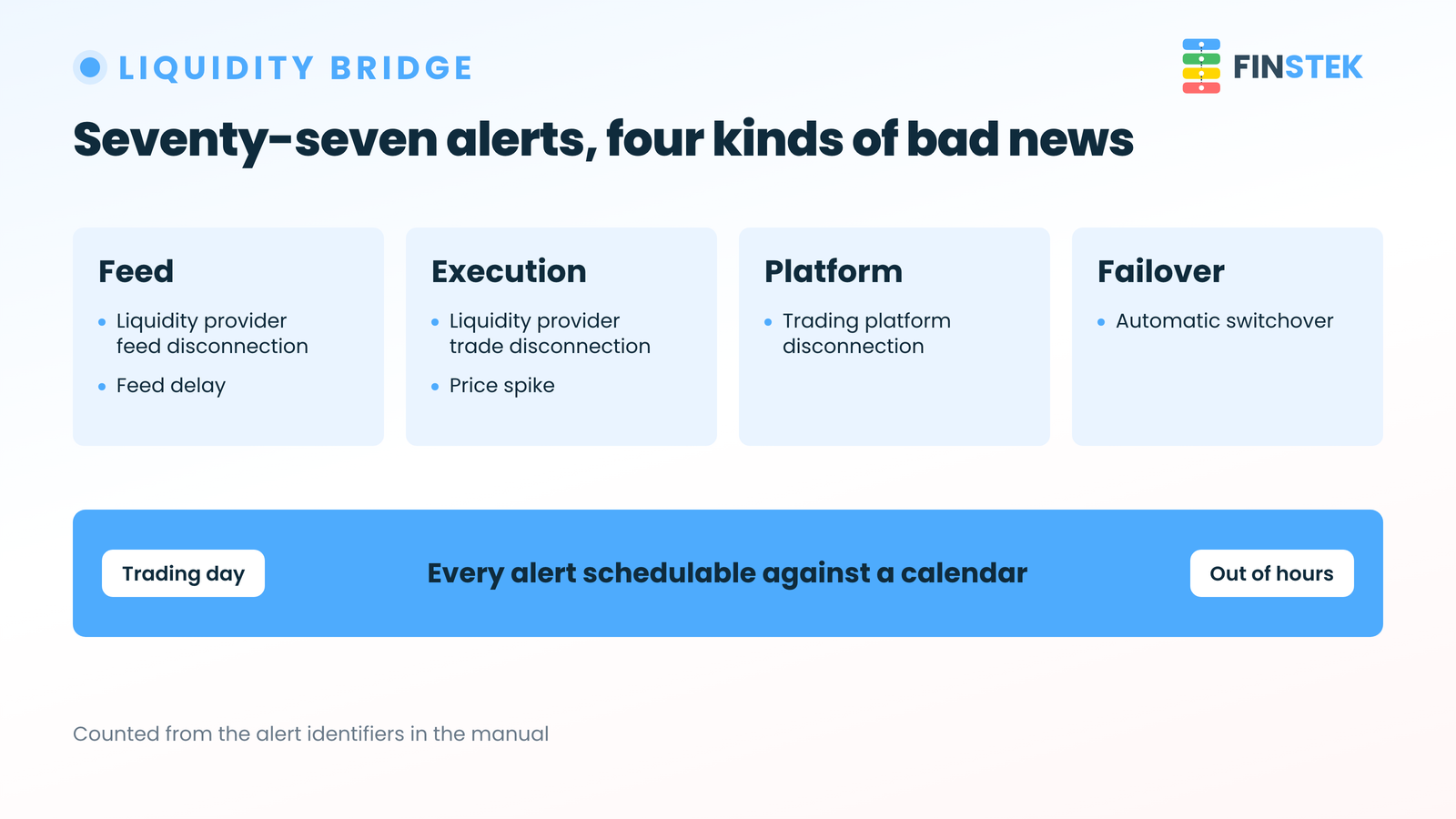
The Liquidity Bridge has 77 built-in operational alerts. They are counted rather than estimated, because each one has its own identifier in the manual.
They cover liquidity provider feed disconnections and trade disconnections, trading platform disconnections, failover switchover, price spikes, feed delay, and dozens of other conditions.
The grouping matters more than the total. Feed, execution, platform and failover conditions belong to different parts of the stack, and they need different people to react.
The calendar is the part that makes it usable
An alert list on its own becomes noise, and a team that has learned to ignore an alert channel is worse off than a team that never had one.
So each alert is schedulable against a calendar. The same condition can behave differently out of hours and during the trading day.
That is the difference between a system that is monitored and a system somebody is willing to be woken up by. A feed gap at 03:00 on a Sunday during a maintenance window is expected. The same gap at 10:00 on a Tuesday is an incident. If both produce the same message with the same urgency, your team will eventually treat both as the second one, then as the first.
Failover is an event worth hearing about
The bridge has two layers of failover, on the feed side and the execution side, with automatic switchover and a configurable grace period before it happens.
Automatic switchover is the feature. Being told it happened is what turns it into information. A broker who discovers on Thursday that they have been running on a backup feed since Monday has a working failover and a broken operations loop.
Worth checking in your own setup
Three questions, and they are about your process rather than any product.
- How did you find out about your last feed or execution problem, and who told you?
- Does any alert you receive behave differently at 03:00 than at 10:00?
- Is there an alert channel your team has quietly stopped reading?
The third one is the honest test. Every firm has one, and it is usually the channel that never learned the difference between the two times in the second question.
Alerting, failover and the calendar controls are all part of the Liquidity Bridge. If you want to go through which of the 77 matter for how you run your book, tell us what your out-of-hours setup looks like and we will walk through it.
More news

Unusual funding and unusual trading are the same investigation
Deposit and withdrawal monitoring sits beside exposure in Risk Manager, so a funding pattern and a trading pattern can be read as one investigation.
Read more →
Sixty-five payment providers is not the number that matters
Sixty-five providers integrated directly, per-country control of what each market sees, and a status-checking job per provider so states reconcile.
Read more →
One exposure screen for a book that sits on four servers
Net and gross exposure, profit and loss and open positions from every connected trading server, aggregated into one screen a dealing desk can act on.
Read more →